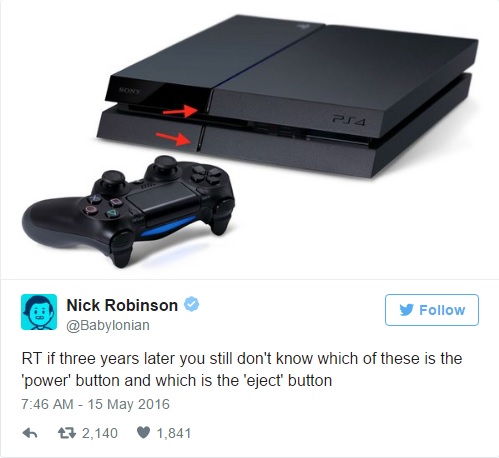
PS4 Are the PlayStation 4 power and eject buttons confusing?

Nope, maybe because I never own on :P
 
I just know they are extremely thin and small, but I'm guessing this can all be done from the controller by now?
 
They aren't that confusing since they actually have a logo on them to help identify them. (It is kind of small, but it is there. Even in that picture there you can see the small grey bits on the buttons. Those are the logos. )

Power button is also on the controller... Just like with the PS3. So the only times you really need the main power button are the first time you set up your PS4 (before the controller is bound to it) and if you've rebound all your controllers to other systems.
 
They aren't that confusing since they actually have a logo on them to help identify them. (It is kind of small, but it is there. Even in that picture there you can see the small grey bits on the buttons. Those are the logos. )

Power button is also on the controller... Just like with the PS3. So the only times you really need the main power button are the first time you set up your PS4 (before the controller is bound to it) and if you've rebound all your controllers to other systems.

Are you able to use a command on the PS4 to eject a disc as well?
 
Yeah, if you move the cursor over the game title that has the disc in, press the Options button (to open the menu) then select "Eject disc" it'll eject it.

Offhand I don't know if there is a voice command for ejecting discs. I know you can select and launch games via voice...
 
I've never had a problem telling which is which. I guess I never really thought about it, but thinking about it know, I can see how some people may think it is confusing.
 
Back
Top